






Comprehensive Guide for Retouching Catalog Product Photos in eCommerce
eCommerce retouching is not the same discipline as portrait or editorial retouching. The objectives are different, the constraints are different, and the failure modes are different. A portrait retoucher optimizes for aesthetic appeal. An eCommerce retoucher optimizes for accuracy, consistency, and platform compliance, while keeping images visually compelling enough to drive purchase decisions.
This guide covers what professional eCommerce retouching actually involves, from the foundational workflow through to advanced techniques for specific product types.
Part of our complete guide: How Product Photo Editing Services Impact Online Sales
How eCommerce Product Photo Editing Differs from Other Types
3 things distinguish eCommerce retouching from other disciplines.
Consistency at scale. Whether you are working on 10 SKUs or 500, every image must have identical lighting treatment, color standard, background tone, shadow style, and crop ratio. A single image that looks slightly different from the rest undermines the entire catalog. This is not a concern in portrait or editorial work where variation is acceptable or even desirable.
Platform compliance. Amazon requires a pure white background at RGB 255,255,255. Zalando has specific dimension requirements and model photography guidelines. Farfetch enforces editorial-level quality standards with detailed shot lists. Retouching for eCommerce means delivering images that meet these specifications as a baseline, not as an afterthought.
Accuracy over enhancement. The goal is to show what the product actually looks like under ideal conditions — not to make it look better than it is. Over-retouching creates returns. A leather bag that arrives looking less supple than the image, a dress that arrives in a slightly different shade, a gemstone that arrives without the artificial sparkle added in post — all of these are predictable consequences of retouching that prioritizes aesthetics over accuracy.
For the specific errors that result from losing sight of these principles: 10 Common Retouching Mistakes to Avoid
Aspect | Basic Touch-Ups | Professional Retouching |
|---|---|---|
| Time Investment | Minimal | Significant |
| Attention to Detail | General adjustments | Precise and product-specific |
| Focus | Surface-level fixes | Comprehensive refinement |
| Use Case | Informal or quick-use projects | High-end eCommerce or marketing images |
| Result | Presentable | Market-ready and polished |
Photo Editing Core Techniques
Basic Adjustments: The Foundation of High-Quality Retouching
You know the value of getting the basics right. Adjustments like exposure, contrast, and white balance are the bedrock of every polished product image. Miss these, and no amount of advanced retouching can save the photo.
Exposure highlights the product’s most important details — too much, and you risk blowing out highlights, too little, and details fade into the shadows. Contrast brings out textures and depth, while white balance ensures that the colors are accurate and true to the product. And in eCommerce, color accuracy is critical: a dress that looks green online but blue in real life leads to customer returns and lost trust.
Getting these foundational adjustments correct from the start lays the groundwork for more detailed retouching.
Background Removal
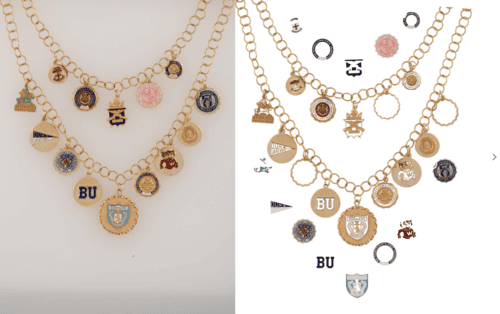
Removing backgrounds might sound like a routine task, but when you’re dealing with complex products — jewelry with intricate details, fashion accessories, or home decor — precision is everything. For irregular-shaped products, manual clipping paths provide accuracy, allowing you to separate the product cleanly from the background.
However, when you’re managing hundreds of images, manual clipping paths can become labor-intensive. AI helps streamline the process, but it isn’t perfect. It often struggles with fine details like hair, fur, or translucent materials. Knowing when to lean on AI for speed and when to rely on your own precision is part of the art that is eCommerce retouching.
Consistency across all images in a product catalog is crucial. If one product has a slightly different shadow treatment or background tone, it throws off the entire visual flow.
Mastering Color Accuracy and Consistency
One of the most challenging aspects of product photography is color accuracy. If the color of the product doesn’t match what the customer receives, it’s a recipe for disappointment and returns.
When dealing with complex colors — such as metallics, deep reds, or neons — you need to ensure that the color appears accurate across different devices. Working in the right color profile (sRGB for web) and using selective color correction tools helps maintain the integrity of the product’s color. But it’s not just about accuracy — it’s about consistency across hundreds of products.
For high-end products like jewelry, fashion, or beauty, any variance in color can undermine brand trust. Your expertise in balancing saturation, hue, and lighting ensures that the product looks as true to life as possible, even in a virtual environment. Read our article on advanced retouching techniques to learn how to achieve flawless accuracy and consistency in your product photography.
Enhancing Product Details: Clarity and Texture
For detailed product images — whether it’s a finely woven fabric or the facets of a diamond — clarity and texture are key. This is where sharpening tools come into play, but they need to be used with care. Over-sharpening can make a product look artificial and off-putting.
A retouching pro knows how to enhance textures without losing the natural feel. Whether it’s the softness of a cashmere sweater or the sparkle of a gemstone, enhancing clarity and texture without overdoing it is an art in itself.
Controlling Shadows and Reflections
Shadows and reflections give products depth and dimension, but they’re tricky to control. In product photography, shadows should make the product feel grounded, not floating. If you’re shooting reflective surfaces — like glassware or highly polished metals — unwanted reflections can detract from the product itself.
In post-production, controlling shadows and reflections is a delicate balance. You’re enhancing the product’s natural look while eliminating distractions. Gradient masks, burn tools, and careful adjustments ensure shadows and reflections look natural while enhancing the overall product image.
The Importance of Layers, Masks, and Smart Objects
An experienced photographer should understand the value of non-destructive workflows. Using layers, masks, and smart objects in Photoshop gives you the flexibility to revisit edits without damaging the original image.
When you’re handling a large number of images, layers and masks allow for quick adjustments — perfect for last-minute client revisions or tweaks across an entire batch of photos. Smart objects, in particular, allow you to scale and transform images without losing resolution, essential when different platforms require different aspect ratios.
By using these tools, you keep your workflow flexible and efficient, ensuring quality is maintained across large projects.
High-Volume Batch Photo Editing Techniques
Working with high-volume image sets requires efficiency without sacrificing quality. Batch processing in Lightroom or Photoshop’s actions feature allows you to automate repetitive tasks — whether that’s exposure adjustment, color correction, or basic sharpening — across a large number of images.
But automation doesn’t mean mindless editing. AI tools can handle bulk edits like background removal or resizing, but they still require oversight. As an experienced photographer, your ability to step in and fine-tune those final touches is what sets your work apart. Batch processing saves time, but your trained eye ensures consistency and quality. Curious to learn more? Read our article on AI retouching to discover how technologies contribute to the world of image editing.
Software You Need for Professional Retouching
Adobe Photoshop is the standard for detailed local retouching: clipping paths, frequency separation, dodge and burn, reflection management, and complex masking. No other tool matches its precision for product-specific work.
Adobe Lightroom handles batch processing, global color correction, and catalog management efficiently. Its sync and copy-paste settings functions are essential for maintaining consistency across large sets shot under the same conditions.
Capture One offers superior color grading and tethered shooting capabilities. Its layer-based editing and precise color controls make it the preferred choice for high-end product and fashion work where color accuracy is critical.
For a step-by-step introduction to these tools: Step-by-Step Guide to eCommerce Product Photo Retouching for Beginners
Batch Editing for High-Volume Projects
High-volume eCommerce projects require automation combined with manual oversight. The two tools that handle this at professional scale are Lightroom presets and Photoshop Actions.
Lightroom presets
Presets apply pre-configured adjustments across large image sets with a single click. To build one that works reliably: start with a representative image from the shoot, apply exposure, contrast, white balance, and color saturation to correct levels, refine with clarity and sharpening, then save as a preset. Create variations for different product types — a jewelry preset and an apparel preset will have different sharpening amounts, different shadow treatment, and different color handling.
Photoshop Actions
Actions record and replay sequences of editing steps across multiple images. Open the Actions Panel, create a new action, press Record, perform the editing steps: cropping, levels adjustment, background replacement, file format export , then press Stop. Apply the action to a folder of images via File > Automate > Batch, setting the output destination and file format in the batch settings.
Automation handles the repeatable parts of the workflow. Manual retouching handles reflection management, texture correction, dust removal, and color referencing — the parts that require trained visual judgment and cannot be reliably automated.
AI tools
AI tools handle background removal, basic color correction, and resizing at speed. They reduce time significantly on high-volume, straightforward products but require review on complex shapes, translucent materials, and fine details. Hair, fur, and jewelry with intricate settings almost always need manual correction after AI processing regardless of the tool used.
For how AI tools are changing retouching workflows: 2026 Trends in eCommerce Product Photo Retouching
Editing Techniques for Specific Product Types
Jewelry and reflective surfaces — the goal is gemstone brilliance without artificiality. Advanced masking controls reflections on polished metals while preserving the natural surface character of the piece. For a complete technical guide: Jewelry and Watch Retouching Guide

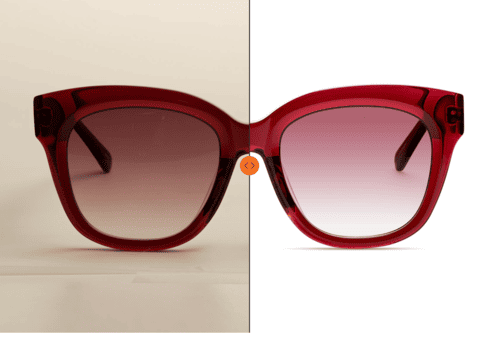
Accessories — leather and fabric accessories need texture enhancement and reflection control simultaneously. Frequency separation cleans surface imperfections while retaining grain and material character. For sunglasses and transparent elements, gradient masking reduces harsh reflections while keeping gloss or transparency intact.

Tech products — surface cleaning is the priority. Dust, fingerprints, and smudges on screens and metal surfaces need removal before any other work begins. Selective masking and subtle dodge and burn control screen reflections without removing the product's premium finish.

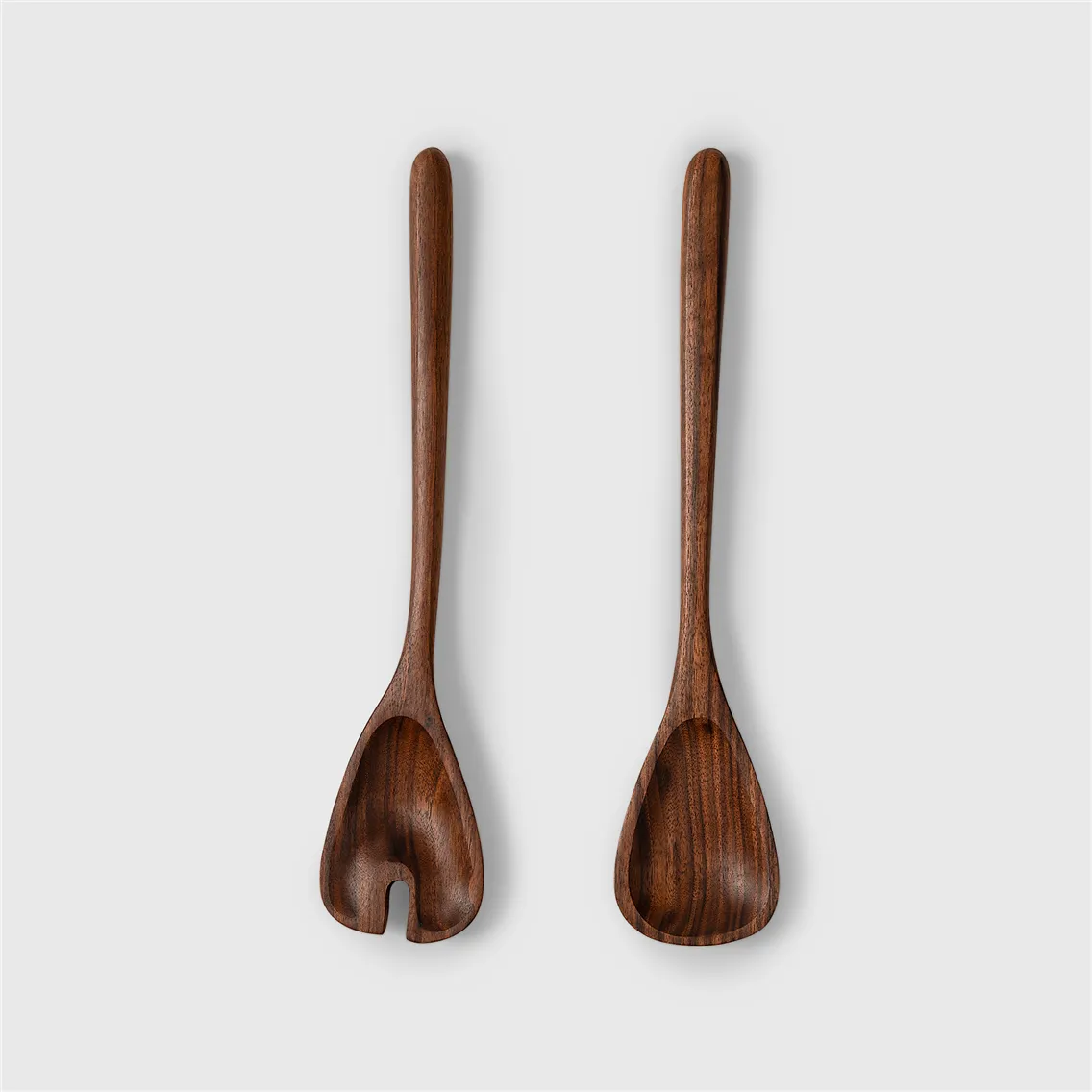
Home decor — wood and metal textures need selective sharpening to bring out grain patterns without amplifying noise. For lighting fixtures, balancing active light sources against surrounding detail requires careful masking to prevent the glow from blowing out adjacent areas.
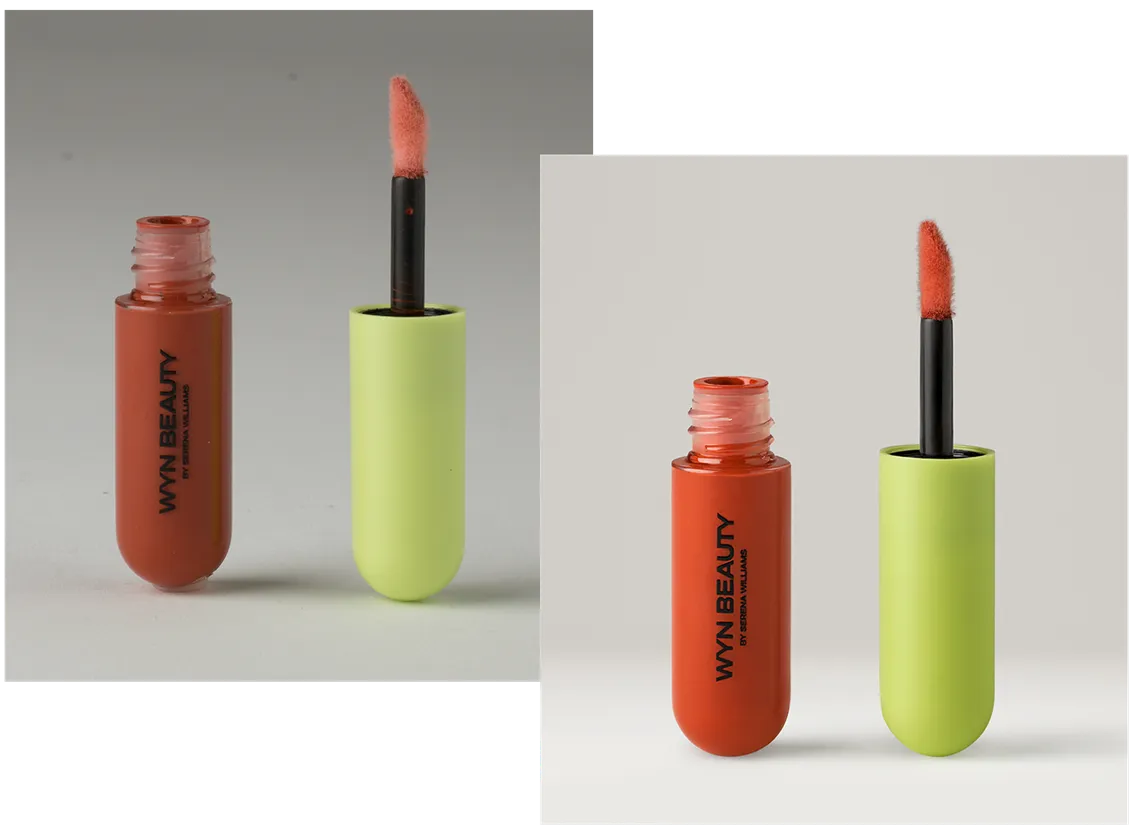
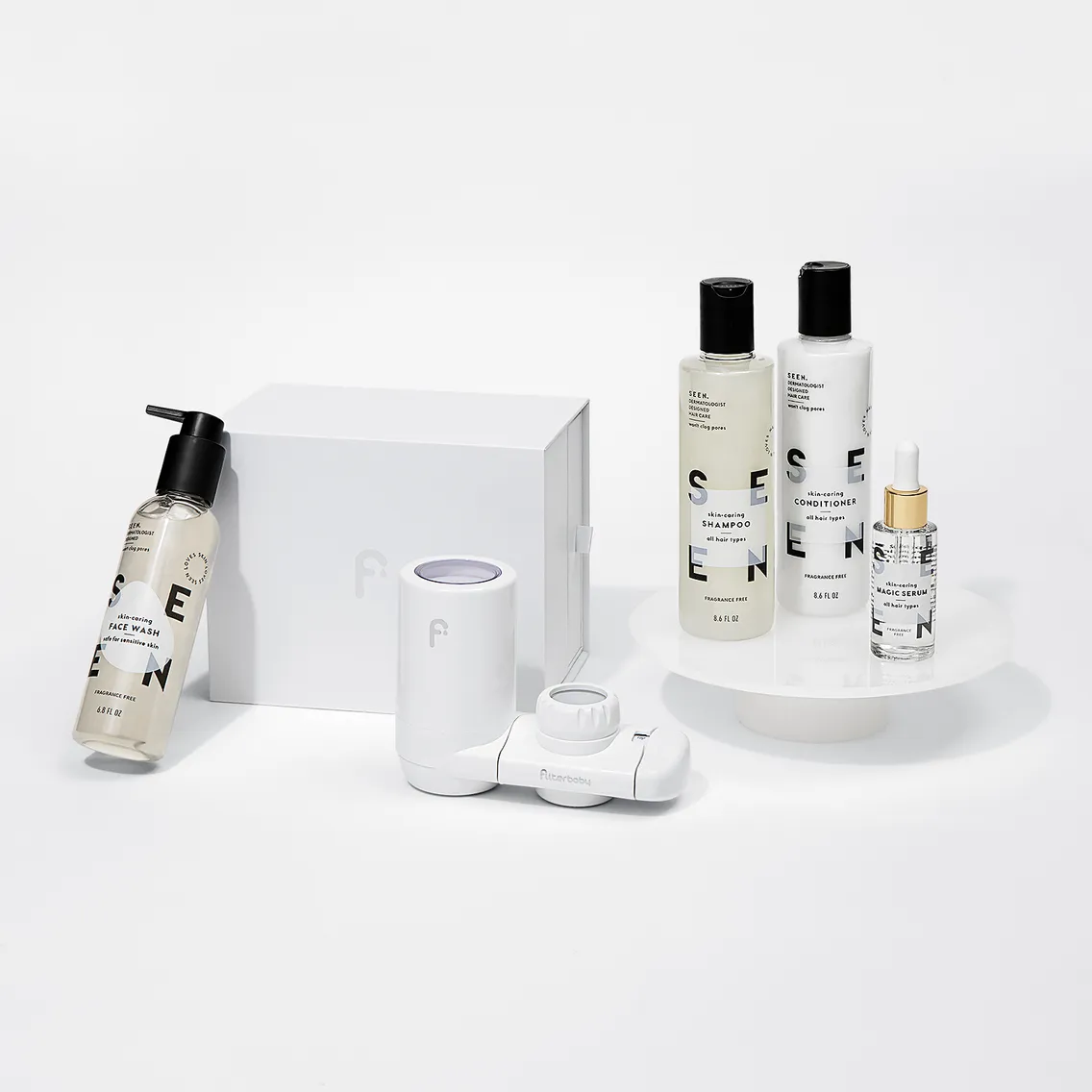
Beauty — color accuracy is non-negotiable for lipsticks, eyeshadows, and foundations where hue determines whether a customer buys or returns. Clarity and texture adjustments emphasize finish character — matte, creamy, or glossy — without distorting the product's actual appearance. Bottles and tubes need transparency management and shadow control to maintain three-dimensionality.
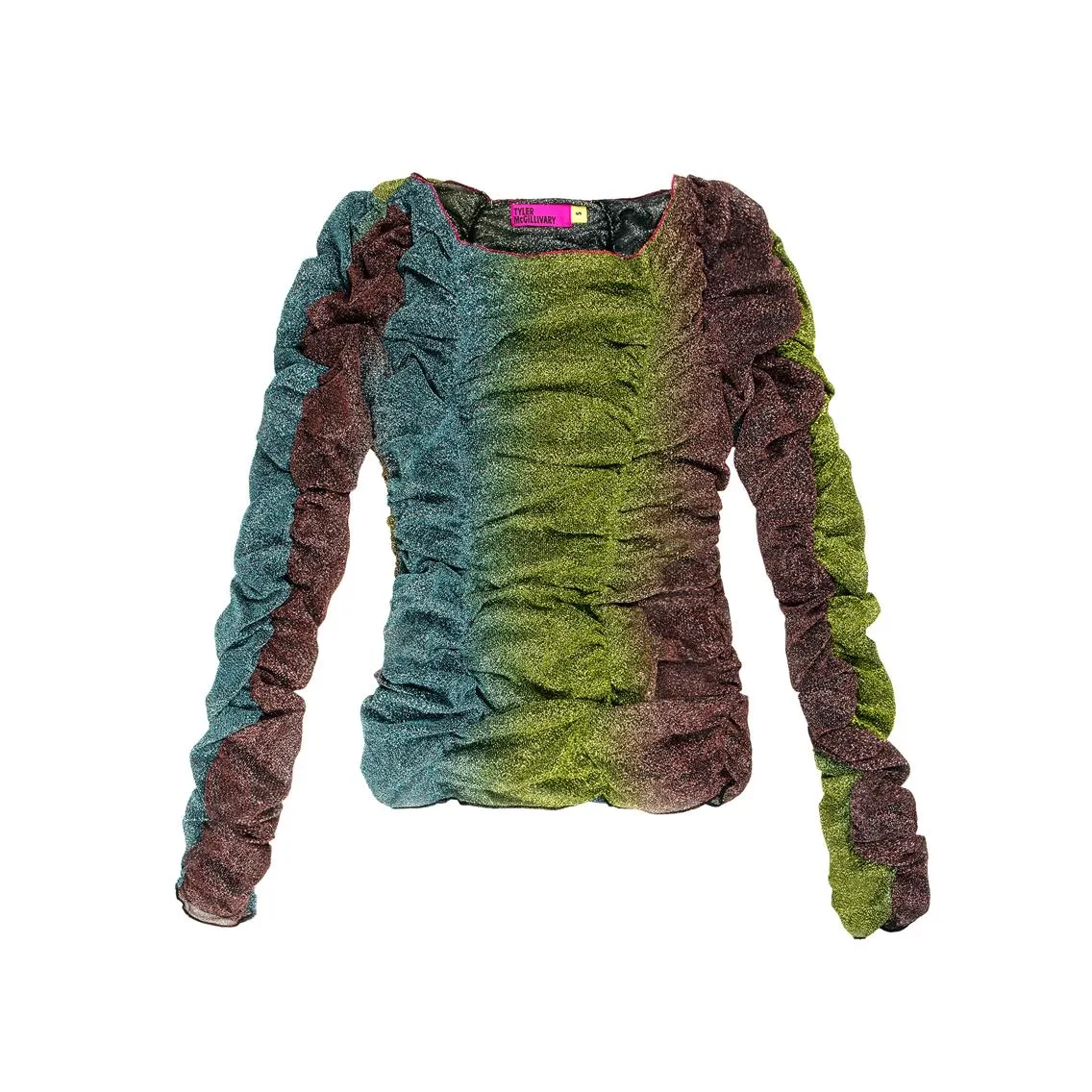
Apparel — frequency separation cleans imperfections without erasing fabric texture. The customer needs to read the material through the image — the softness of knitwear, the weight of denim — and over-smoothing removes exactly the detail that communicates quality. For a complete guide: Clothing and Fabric Retouching Techniques
How Much Retouching Is Enough
The hallmark of professional retouching is knowing when to stop. Excessive editing harms credibility — a customer who receives a product that looks significantly different from its image feels misled. That response produces returns, negative reviews, and lost trust that is difficult to recover.
Three practical checks before delivery:
The physical sample test. Hold the product next to the retouched image on a calibrated screen. If the color, texture, or surface finish looks noticeably different, the retouching has gone too far in one direction or another.
The 100% zoom test. View the image at full resolution. Halos around edges, plastic-looking surfaces, artificially smooth textures, and unnatural sparkle on gemstones are all visible at 100% that may not be apparent at thumbnail scale.
The catalog consistency test. Place the image in a grid with the surrounding catalog. An image that looks correct in isolation but stands out against its neighbors has a tonal, color, or crop inconsistency that needs correcting before delivery.
When to Outsource Photo Editing
The workflow described in this guide requires calibrated hardware, specialized software, category-specific expertise, and significant time per image. For photographers whose primary work is shooting rather than retouching, and for brands whose catalog volume exceeds what an in-house team can process without quality degradation, professional retouching services provide consistent results at scale without the overhead of building that capability internally.
For photographers specifically evaluating whether to handle retouching in-house or delegate it: Product Retouching: Mastering or Delegating?
With LenFlash, you can trust that every image will be handled with the care and expertise you expect. LenFlash’s editing services are built to adapt to any project size. We prioritize quality above all, offering advanced manual editing that brings out the best in every product, enhancing clarity, texture, and color while preserving the authentic look of each item.
Order editing services today and let us take care of the retouching.
FAQ: Product Photography Editing for eCommerce
What is advanced product photography editing?
Advanced editing involves precise and detailed adjustments to product photos, ensuring they meet eCommerce standards, align with client expectations, and enhance the product's appeal while maintaining authenticity.
What are some common challenges faced by eCommerce photographers?
These include tight deadlines, limited time for post-processing while juggling multiple projects, maintaining consistency across diverse products, and keeping up with ever-changing platform specifications.
How to keep up with platform-specific image requirements?
Stay updated on the latest guidelines from platforms like Amazon, Etsy, and Shopify. Create separate presets or actions tailored to each platform's specifications for file size, aspect ratio, and background requirements.
What are the key steps in creating a retouching workflow for eCommerce clients?
Start with a clear client brief, organize files efficiently, apply presets and automation, refine details by product type, perform a quality check, and deliver in client-preferred formats.
How can I deal with demanding clients who want flawless images ASAP?
Mastering advanced editing techniques, streamlining your workflow, and knowing when to outsource can help you deliver quality results under pressure. Using presets and actions for batch editing is also crucial.
How do I maintain consistency when working with different product types?
Develop custom presets for various product categories (e.g., jewelry, apparel). Pay close attention to lighting, color balance, and texture to ensure a cohesive look across your projects.
How do I ensure that my retouching doesn't mislead customers?
Show products as they truly appear, highlighting natural qualities instead of creating unrealistic finishes. Embrace minor imperfections and maintain realistic scaling and proportions.